Multi-mode capture
Capture full screens, custom rectangular areas, active windows, or window contents without borders or background noise.

A powerful, privacy-oriented Linux desktop tool for capturing screenshots, videos, and GIFs and annotating them quickly and easily.
Download from repo.orcapings.com ↗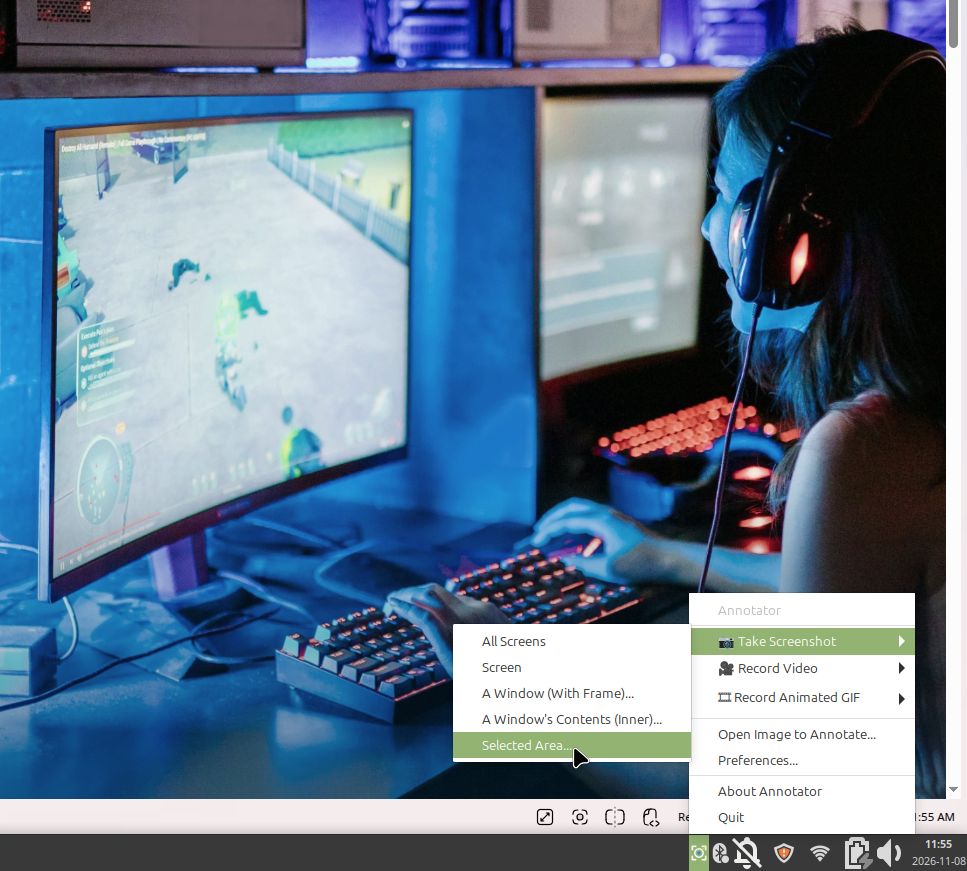
Annotator for Linux gives developers, creators, and teams a fast, dependable way to capture, record, and annotate anything on their desktop without telemetry or cloud dependencies. Built specifically for Linux workstations, it handles multi-screen configurations, large files, and captures full screens, individual windows, window contents, or custom rectangular regions with zero usage tracking.
Each capability contributes to a larger operating model. The product is being built so information, people, automation, and outputs remain understandable as the system grows.
Capture full screens, custom rectangular areas, active windows, or window contents without borders or background noise.
Record smooth desktop video and lightweight animated GIFs directly from any screen, window, or selected region.
Mark up screenshots and recordings with text, arrows, shapes, numbers, blur, and highlights quickly before sharing.
Engineered to handle high-resolution multi-monitor desktop environments and large capture files smoothly and reliably.
Operates completely locally with zero telemetry, data collection, or cloud tracking under the permissive MIT license.
Installs and updates cleanly using standard Debian/Ubuntu apt package management from repo.orcapings.com.
Available now means the product and its operating model are still being tested, refined, and made more dependable.
Annotator for Linux is released under the open-source MIT license. Add our official repository to install and receive automatic updates through apt.
Download from repo.orcapings.com ↗